
Beta
Play RIFT HAUL before launch
The Android beta is open to a small group, and we approve every tester personally. On iPhone you can also join directly via TestFlight without a request.
- Android & iPhone
- free
- Android: personally approved
How it works
Send a request – just a few details.
Confirm your email – you'll get a link right away.
Wait for approval – we review every request ourselves.
Install – the links in our approval email get you the app.
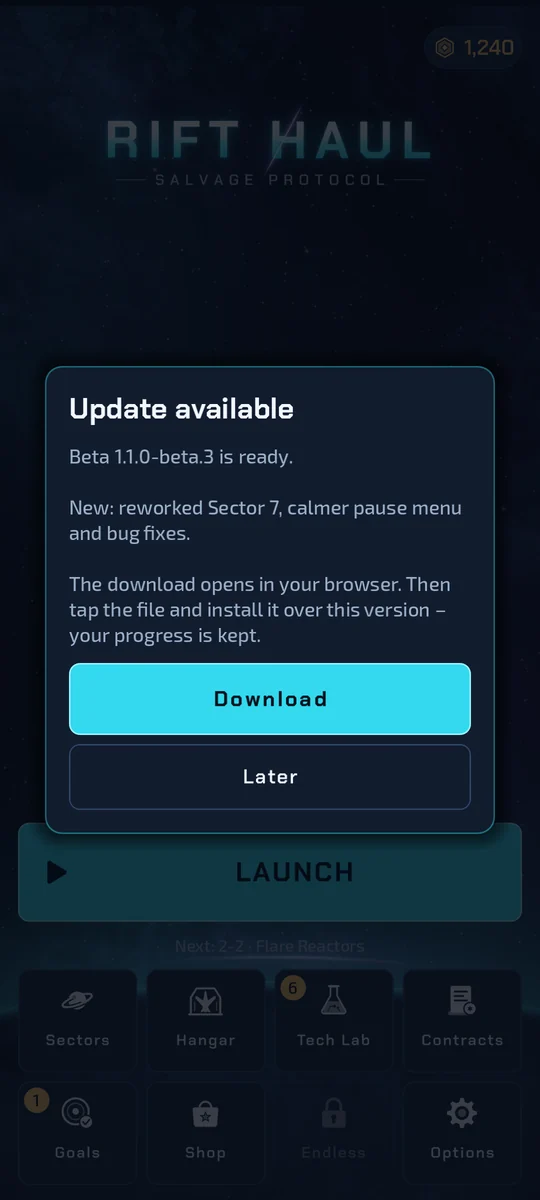
Updates arrive by themselves
On Android, the version from the tester area tells you about new beta versions when it starts. Tap “Download”, install over the old version – your progress is kept. Via Google Play and TestFlight, updates come through the respective store or the TestFlight app.
Request access
FAQ
What does the beta cost?
Nothing. The Android version from the tester area has no ads and no purchases. The versions via Google Play and TestFlight are store builds: they can contain optional rewarded videos (Google AdMob). If the Google Play version offers purchases, these are real, paid purchases in the closed test – unless you are registered as a licence tester.
Which devices?
Android phones running Android 7.0 or newer with about 250 MB free space (download about 120 MB), and iPhones: there the beta runs through Apple's free “TestFlight” app.
Why do I have to allow “unknown apps”?
Only if you download the app directly from the tester area on this site instead of via Google Play. Android then asks once whether your browser may install apps. You don't need this via Google Play.
Google Play Protect shows a warning – is that dangerous?
The warning can appear with the direct download because the app then doesn't come from Google Play. Only download it from your tester area on rifthaul.home-it.site, or use the Google Play route.
Will my progress be kept?
Yes, with every beta update. Important: don't uninstall, your save is stored only on your phone. Whether your save is kept when switching between the direct download and Google Play has not been settled yet.
Who gets access?
Places are limited. We look at every request and get back to you by email.
How do I give feedback?
Your tester area has a feedback form – screenshots and your phone model are welcome.
How do I leave the beta?
Tap “Leave beta” in your tester area and we'll delete all your data and, on Android, remove you from the Google group; on TestFlight you also end your participation yourself. You can keep the game on your phone.
We store your details and use them solely for the beta test. No tracking, no sharing for advertising and nothing passed on to Google or Apple: once approved, you join the test group on Google Play or TestFlight yourself, where Google's or Apple's terms apply. You can leave the beta at any time – we'll delete your data.